Cybersecurity researchers have discovered a significant spike in advanced phishing campaigns targeting Microsoft 365 users. These attacks allow hackers to access accounts without ever needing to steal a password or bypass multi-factor authentication.
Hackers are creating malicious applications that mimic official portals and login pages. The pages look like exact replicas of OneDrive, LinkedIn, Docusign, and more. One key difference is these fake applications ask for an OAuth code. This code grants hackers permission to access emails, files, and other data.
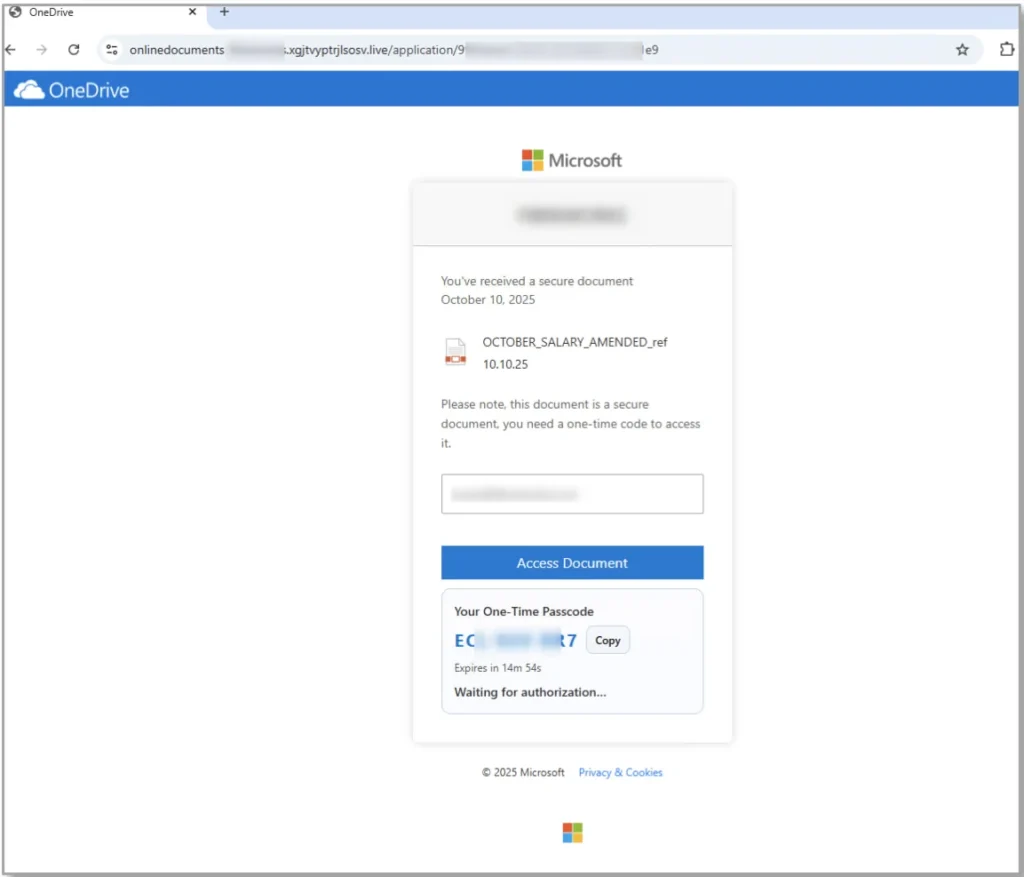
Cybercriminals Aren’t Just Stealing Passwords; They’re Stealing Sessions
Attackers are using authentic-looking company branding and QR codes to deceive users into granting account access. This method allows attackers to maintain ongoing access to an account even if the user later changes their password. The attack relies on session tokens rather than stolen passwords.
To stay safe from these advanced campaigns, users should be on the lookout for these specific red flags:
- Deceptive Lures: unexpected messages regarding salary bonuses, unrequested security codes, or urgent review requests
- Suspicious QR Codes: an email that requires you to scan a QR code to “view a secure file” or “verify your identity”
- Mismatched App Names: when prompted to grant permissions, analyze application name consistency
- Urgency: phrases like “action required within 24 hours”
Because these attacks can be difficult to spot, the most effective defense is a strict “no-trust” policy regarding uninitiated requests. You should never enter a code into a login screen unless you personally triggered the request from a secondary device.
It is also advised to use your company’s “report phishing” button for any suspicious emails, as this allows IT teams to block the threat globally. Make sure to frequently review the “Authorized Apps” section in your account settings. If you see an application that you do not recognize, revoke access immediately to terminate any active malicious tokens.
How LeeShanok Can Help
LeeShanok is happy to work with you on configuring Conditional Access policies within Microsoft Entra. These policies prevent continuous, unauthorized token generation. This actively prevents hackers from creating the fraudulent credentials they need to slip into your network undetected.
Contact your dedicated LeeShanok account manager to secure your accounts today!